
Cheat Lock [iOS]
On iOS, one sec offers 5 Cheat Lock features to make your set up as robust as possible.
Screentime Permission Lock
The is the fundamental set up for a bullet proof one sec set up.
It protects one sec's Screentime permissions, aking all other cheat protections/strict blocks so much more powerful!

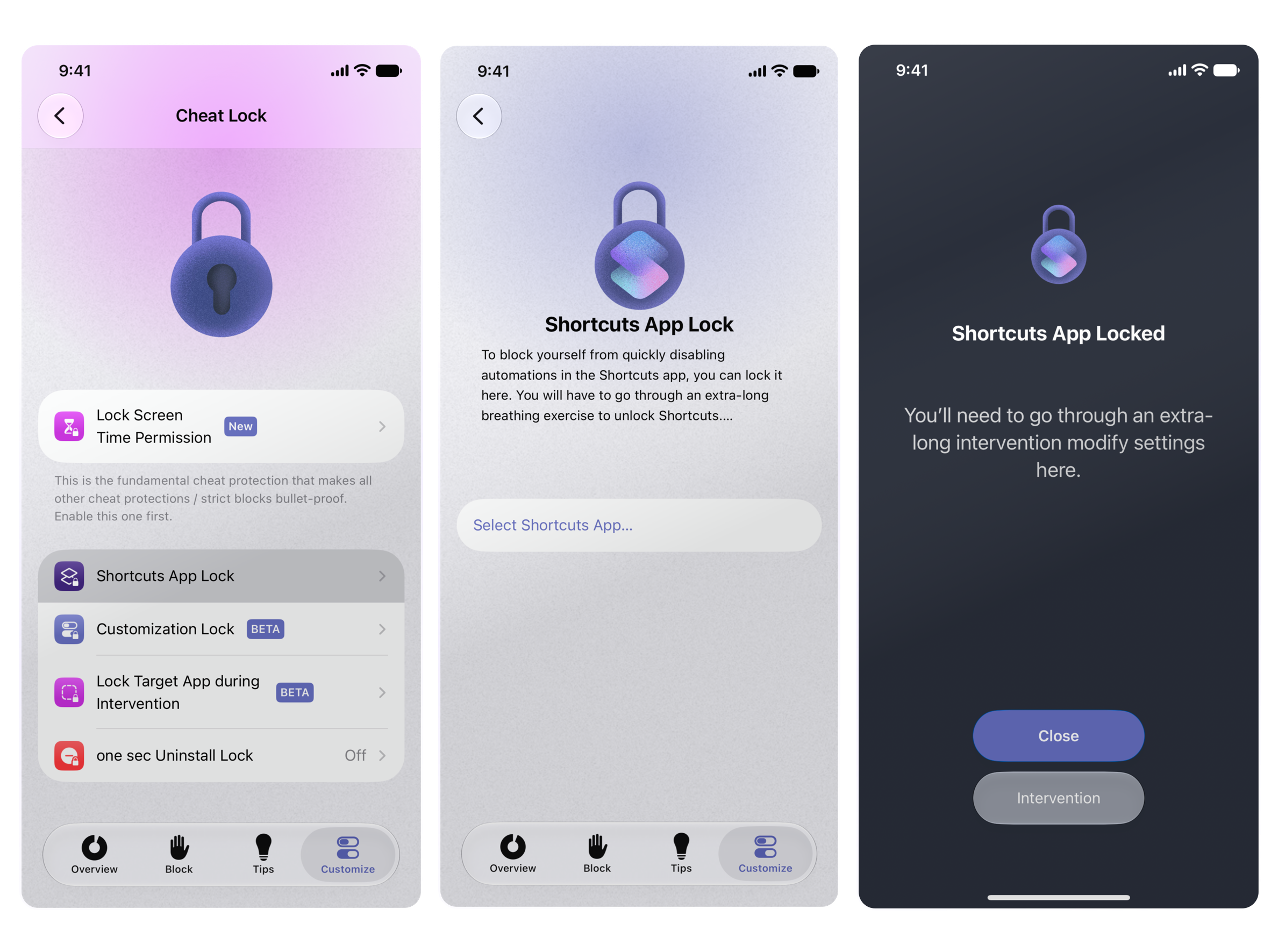
Shortcuts App Lock
Shields your automations in the Shortcuts app behind an extra-long breathing exercise to unlock Shortcuts.
Navigate to one sec's Customize Tab, tap Cheat Lock and select Shortcuts App Lock.
Tap Select Shortcuts App and select/search for the Shortcuts app to connect it.

Customization Lock [BETA]
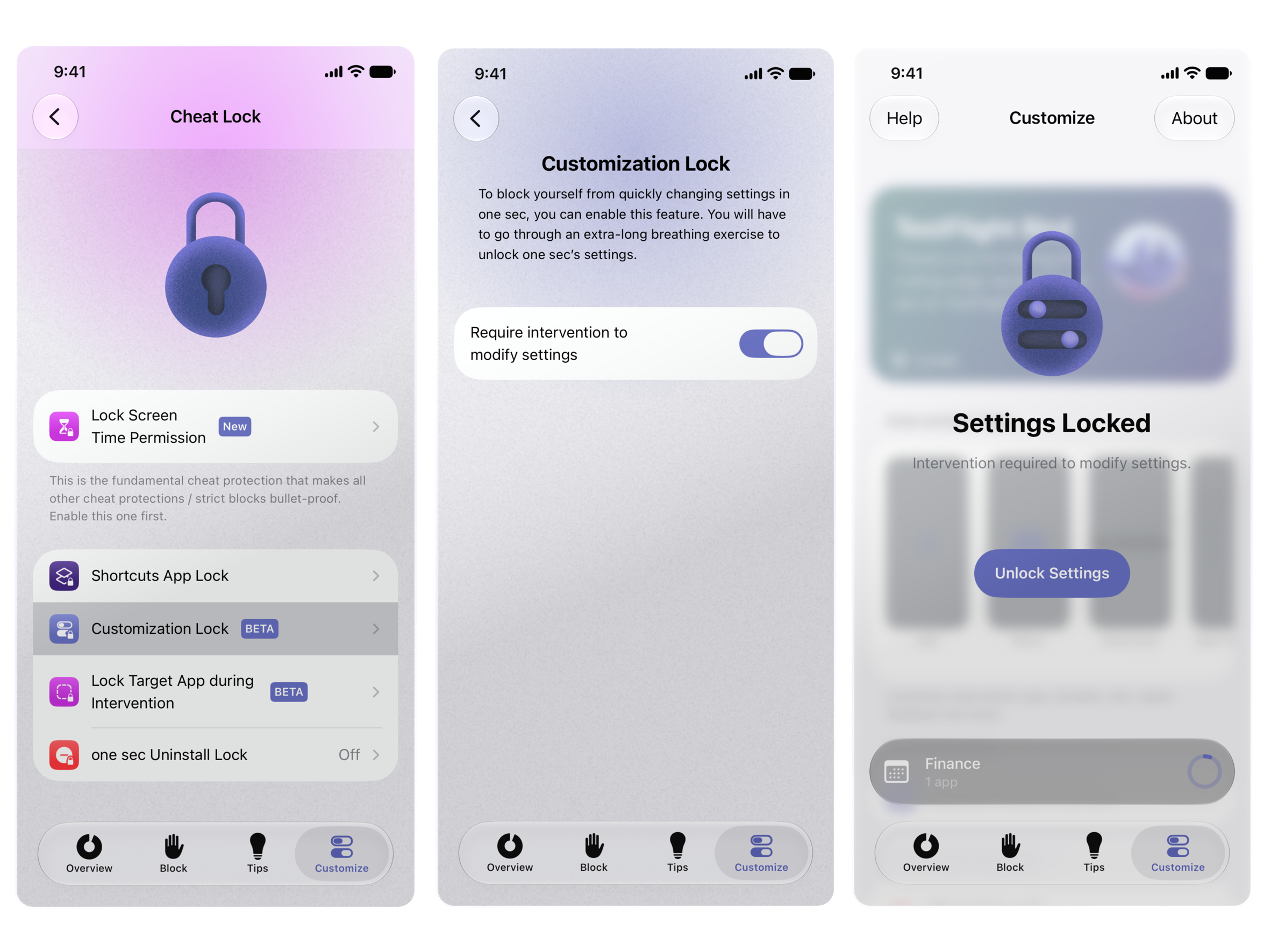
You will have to go through an extra long breathing exercise to unlock one sec's settings – this gives you a moment to reconsider if you actually want to change it.
Navigate to one sec's Customize Tab, tap Cheat Locks and go to Customization Lock.
Toggle on "Require Intervention to Modify Settings".

Lock Target App during Intervention [BETA]
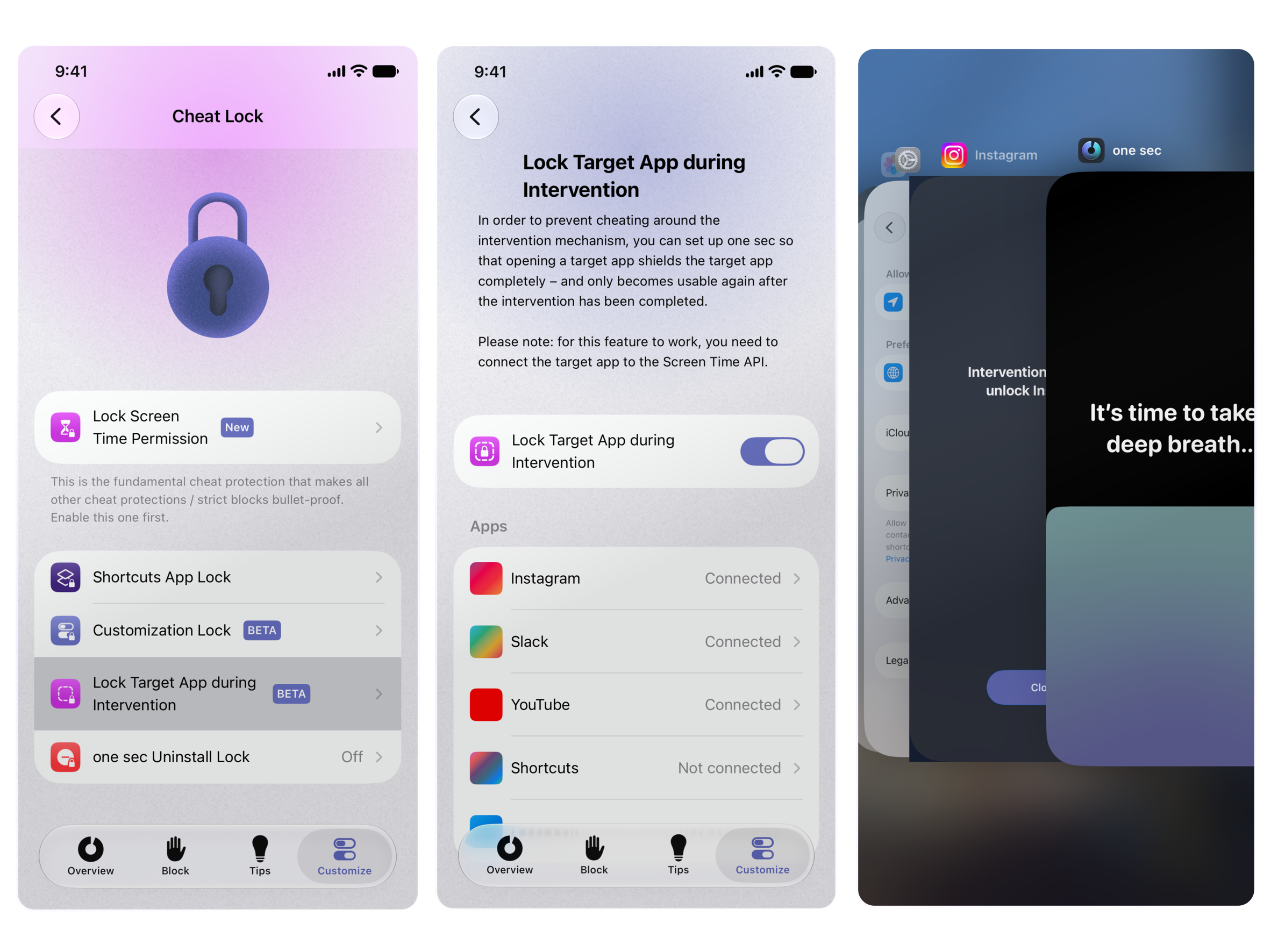
When enabled a target app (e.g. Instagram) will be unavailable until the intervention has been completed. A block shield stops you even from peeking in the App Switcher.
Navigate to one sec's Customize Tab, tap Cheat Lock and go to Lock Target App during Intervention.
Toggle on "Lock Target App During Intervention"
In the chapter "Apps": Tap on the app you want to connect -> Connect... -> and Select/search the app you want to connect.

Uninstall Lock
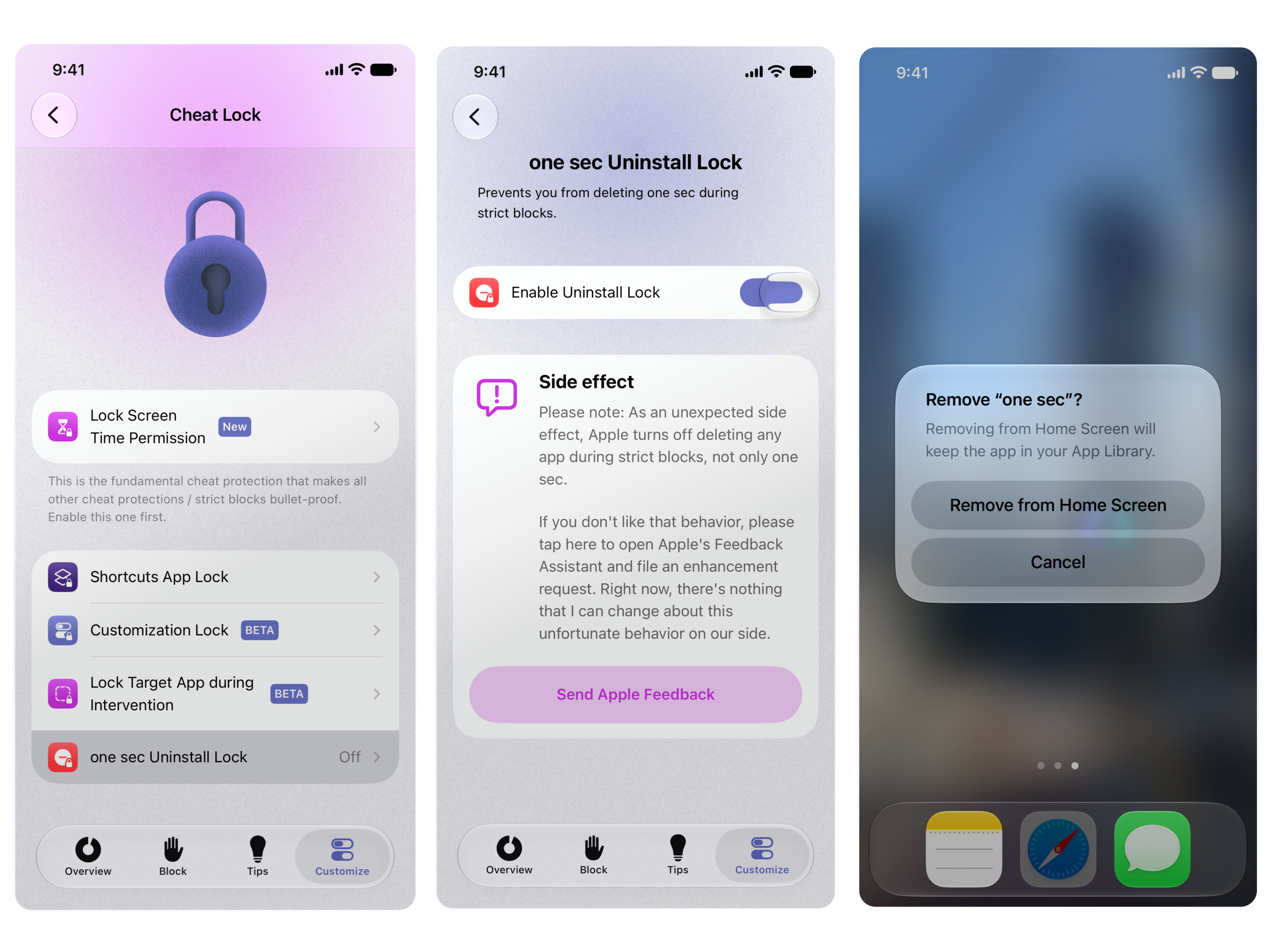
If you use strict blocks (Scheduled or Manual) Uninstall Lock will prevent one sec from being deleted during the block(s).
Good to know: As an unexpected side effect, Apple turns off deleting any app during strict blocks, not only one sec.
If you don't like that behavior, you can find a link to the Feedback Enhancement Request to Apples Feedback Assistant in one sec's settings for this feature. From our side, there's nothing that we can do about this unfortunate behavior
Navigate to one sec's Customize Tab, tap Cheat Lock and select one sec Uninstall Lock.
Toggle on "Enable Uninstall Lock".

Need more help? Get in touch.