
Immediate vs. Delayed vs. Always Ask – which Intervention Mode is the right for me? [iOS/ Android/ Browser Extension]
one sec supports three different intervention modes (+ Re-Interventions):
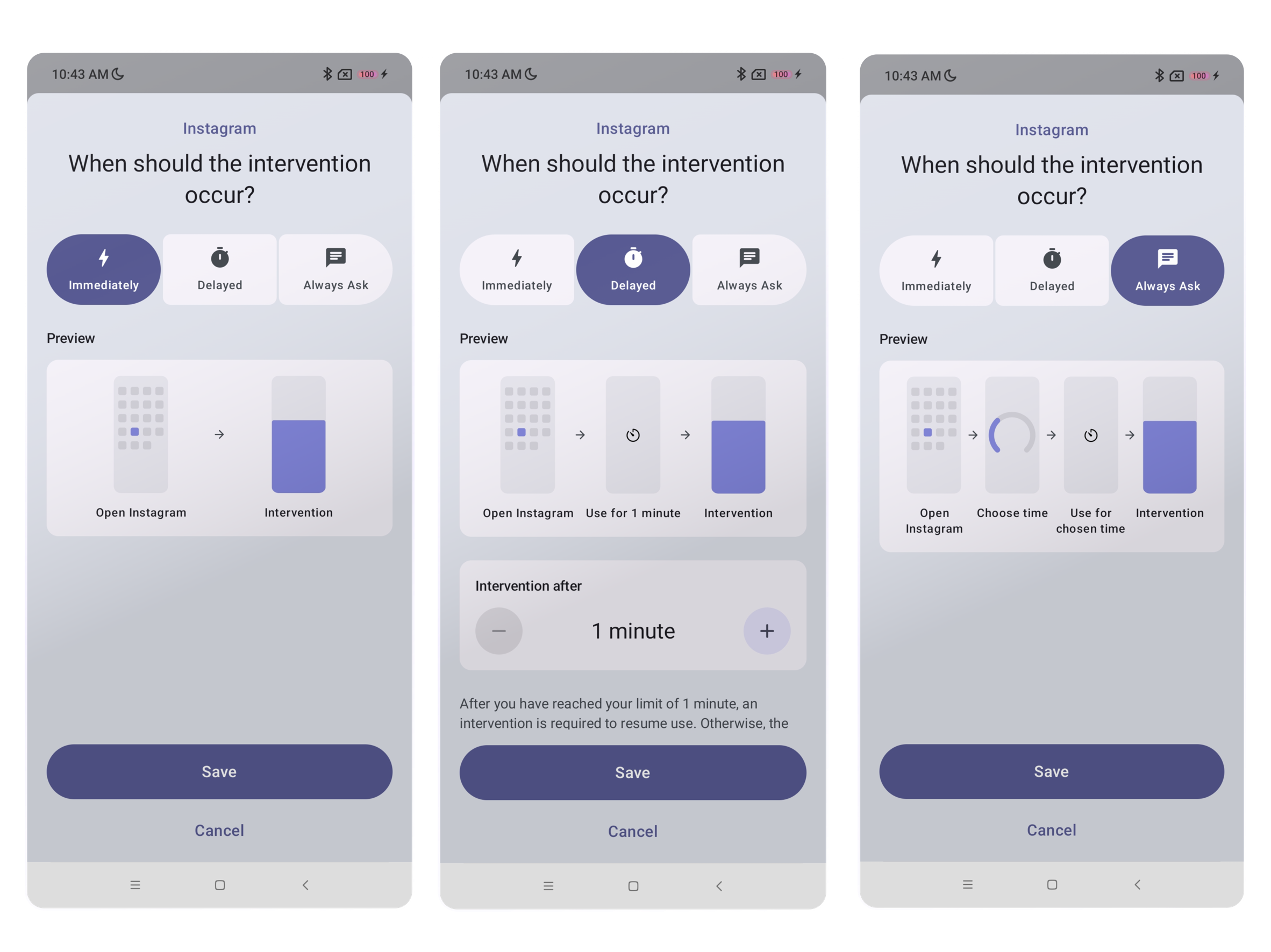
Immediate Interventions are triggered right away, when you open a target app (e.g. Instagram) – the intervention happens before you can start using the app.
Delayed Interventions are giving you a short time frame (e.g. 3 minutes) of using the target app – after which the target app is blocked and an intervention is required to unlock more time. Alternatively, you can wait for the next full hour to start at which the delay resets.
“Always ask” Interventions are a combination of 1+2: They are triggered when you open the target app to ask you for how much time you want to spend – then you can directly continue to the target app. Once you have spent this time on the target app, the app is blocked and an intervention is required to unlock more time.
Re-Interventions are always on for 2+3 (and optional for 1): they are repeated interventions, that means that they show up after the time interval you have selected. They are an optional feature of immediate interventions as well – I’d highly recommend to check them out (I cannot live without Re-Interventions).
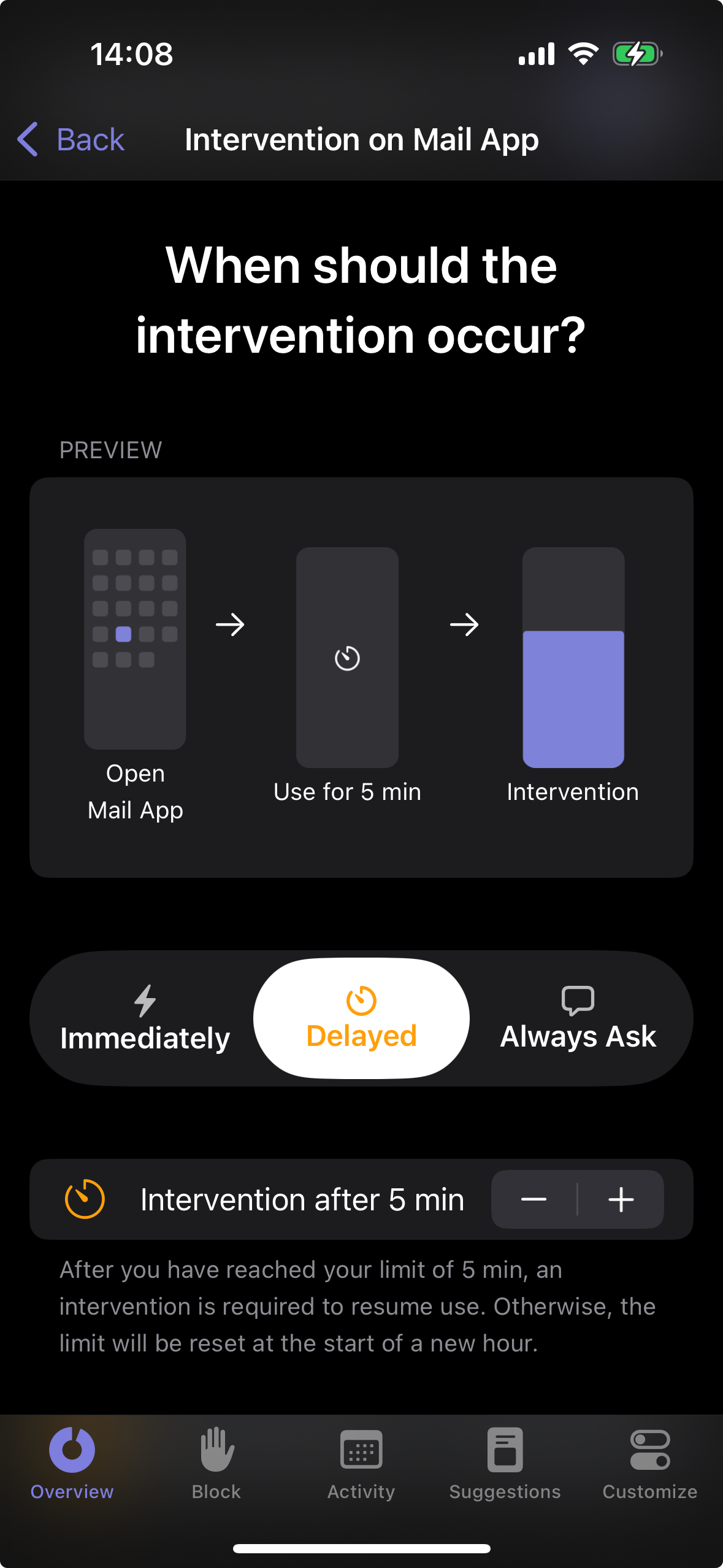
How to change the Intervention mode on iOS
You can change the intervention mode by selecting an app in one sec’s Overview tab → Customize → Intervention on App:
How to change the Intervention Mode on Android
💡 Please make sure you have updated to one sec version 3.0!
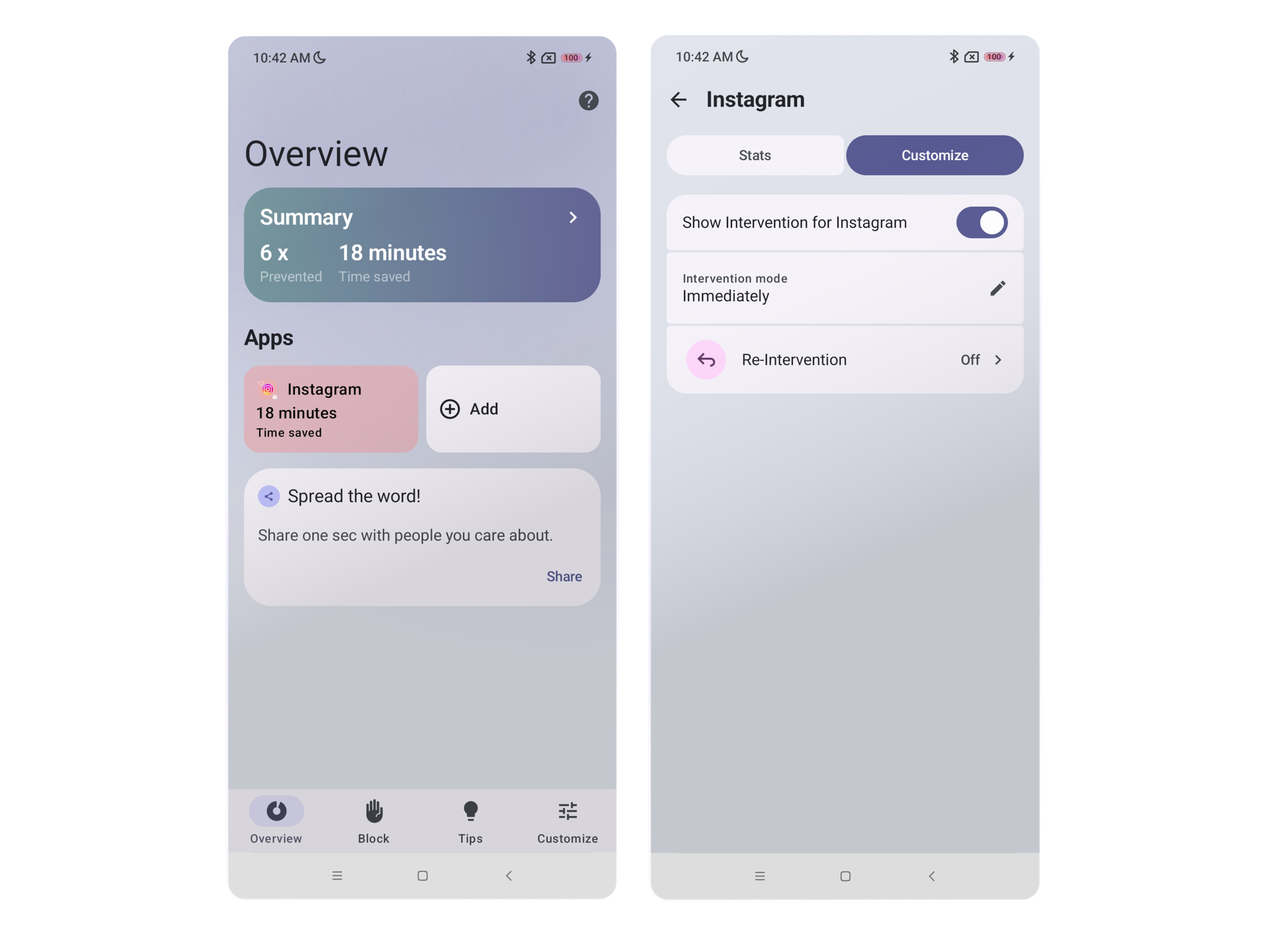
Open one sec, open the Overview tab and tap on the app you wanna change the Intervention Mode for.
Tap Customize and afterwards Intervention Mode.
Tap to select Immediate, Delayed or Always Ask Intervention Mode and tap Save.
How to change the Intervention mode on Browser Extension
Click onto the Extension Symbol and Open Dashboard.
On the Overview page, select the target website (f.e. Youtube), and go to Customize. Here you can choose between Immediate, Delayed and Always Aks Intervention.
Optionally: For Delayed and Always Ask Interventions you can use the + and - in the Intervention Delay section to adjust after how many minutes your intervention should show.