Healthy Alternatives [iOS/ Android]
Healthy Alternatives will show you pre-selected Real Life Activities, Social Connections or Good Apps at the end of your Intervention.
The idea is to redirect your (goldfish-like) attention to what actually matters to you – and motivate you even more to not open the app you just attempted to use.

Healthy Alternatives on iPhone & iPad
On iOS, Healthy Alternatives can be displayed with the following Intervention Types:
• Breathing Exercise
• Minimal Breathing
• Rotate Phone
• Black Screen
• and all Affirmation Interventions: Mirror, U Sure about that?, Death Bed.
Please make sure to have one or more of them selected to use Healthy Alternatives.
How to set up Healthy Alternatives
Open one sec and navigate to Customize and tap onto Healthy Alternatives – this will add Healthy Alternatives to all active Supported Intervention Types.
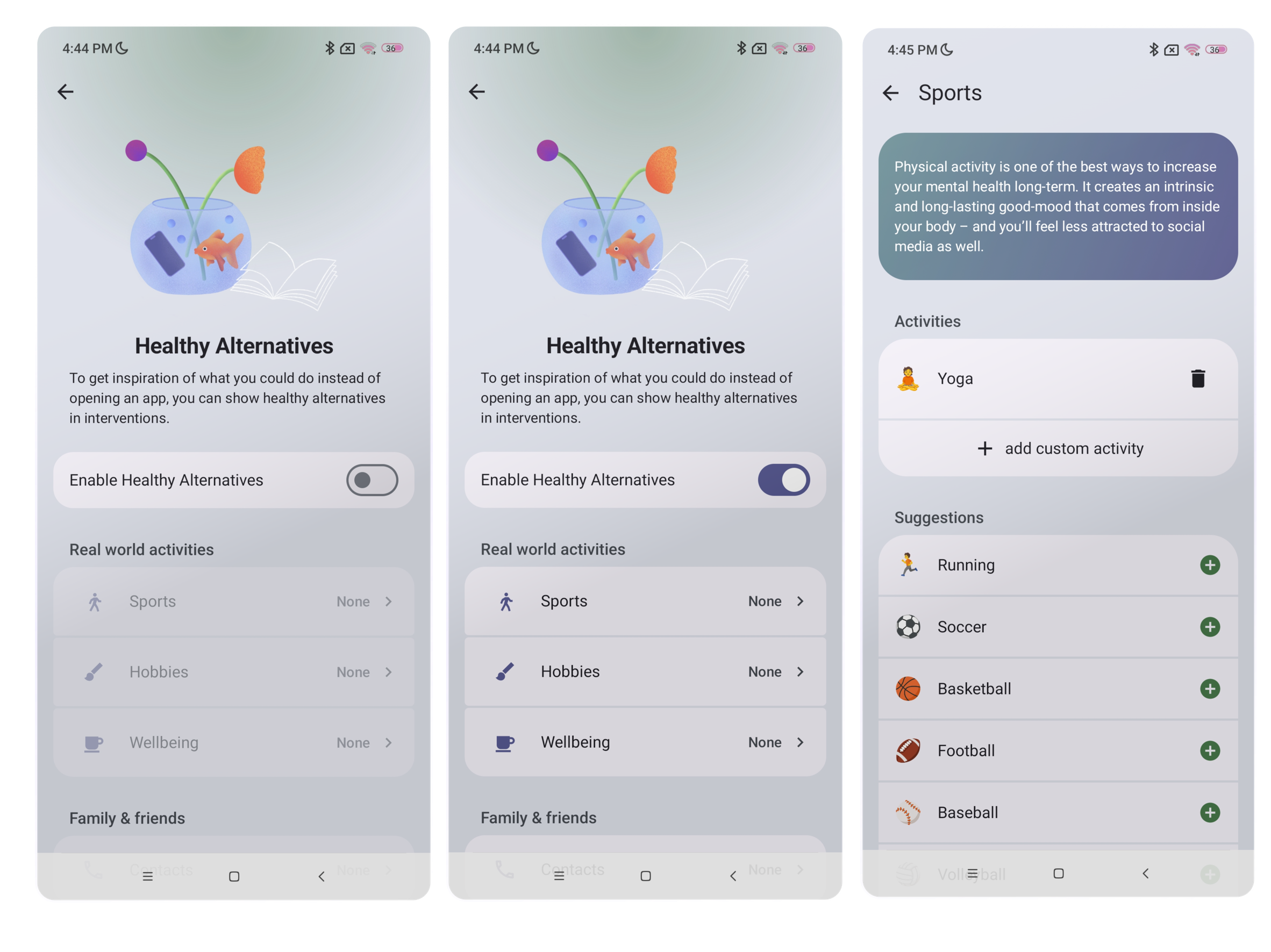
Toggle on Healthy Alternatives, to be able to choose out of these categories:
• Real world activities (Sports, Hobbies & Wellbeing)
• Family & Friends (Contacts)
• Productivity (one sec Reading List, iOS apps Calendar & Reminders, Structured)
• Other suggestions (Good apps, Shortcuts)
💡 An important reminder: Good alternatives are actionable and concrete! Try to choose activities that make you sustainably happy – like sports, meaningful conversations with loved ones & friends, deep focus on a particular task, or learning something new.
Add Real world activities (Sports, Hobbies & Wellbeing):
Suggest yourself real world activities in your intervention. You can add custom activities as well as a lot of suggestions!
To do so, just tap onto one of the subcategories
• Sports
• Hobbies
• Wellbeinga) Add Suggestions by tapping the ⊕ next to it to add them.
b) Tap + add custom activity to create your own: Type the Activity name and choose a fitting emoji at 👍 Tap to Pick. Then, tap Add to save.
Family & Friends (Contacts):
Your intervention will show a quick-link to call or text your loved ones.
Tap Contacts and + add contact. Select contact(s) from your Contacts list. Then, Tap the ✓ (checkmark symbol) on the right above corner to save.
Productivity (one sec Reading List, Calendar, Reminders, Structured):
Get reminded of your To-Do's in Structured and Reminders and see your Calendar events and interesting articles you want to read.
one sec's reading list: How to add them? Please follow this tutorial.
Tap Calendar, then Connect with Calendar. Then, Allow Full Access to be able to select and choose between your calendars.
Tap Reminders, then Connect with Reminders. Now, enable Allow Full Access and select the Reminders Lists, you want to add.
Tap Structured and toggle on Show upcoming tasks in healthy alternatives
Other Suggestions (Good Apps, Shortcuts):
Redirect yourself into Productivity, Wellbeing or Learning Apps instead of Social Media or Run a Shortcut instead of opening an app.
Good apps:
a) Add Suggestions by tapping the ⊕ next to it to add them.b) Tap + add custom good app to create your own: Type the App name and add the App URL Scheme(?). Then, tap Save.
Shortcuts: You can run any Shortcut you have set up in the Shortcuts App from Healthy Alternatives.
Run Shortcuts -> + add custom activity -> Type in Name of the target Shortcut
Regarding all concerns of privacy & permissions: one sec may need access to apps like Contacts or Reminders or Calendar. We do not process, forward or save any data. Everything stays on your device!
Healthy Alternatives on Android (beta)
On Android, you can choose your Healthy Alternatives from the following three categories:
Real world activities (Sports, Hobbies & Wellbeing)
Family & Friends (Contacts)
Other Suggestions (Good Apps)
💡An important reminder: Good alternatives are actionable and concrete! Try to choose activities that make you sustainably happy – like sports, meaningful conversations with loved ones & friends, deep focus on a particular task, or learning something new.
How to Set Up Healthy Alternatives
Open one sec and navigate to the Customize tab and tap onto Healthy Alternatives.
Toggle on Enable Healthy Alternatives
In each category you can choose between suggested Real world activities, like Sports, Hobbies and Wellbeing (or accordingly, your Contacts or Good apps).
a) Add activity Suggestions, Contacts or Good Apps by tapping the ⊕.
b) Tap + add custom activity to create your own: Type the Activity name and choose a fitting emoji at 👍 Tap to Pick. Then tap Done.